Guides
Hyvä Was Never the Problem. What We Pile on Top of It Is.
October 23, 2026 - by Alexandru-Manuel Carabus
In Mainz, we closed the pitch that won Best Performance Improvement with one line. Here is what it means: what Hyvä replaces, what it never touches, and the 15 million database operations we found under Vitacom's Hyvä theme.
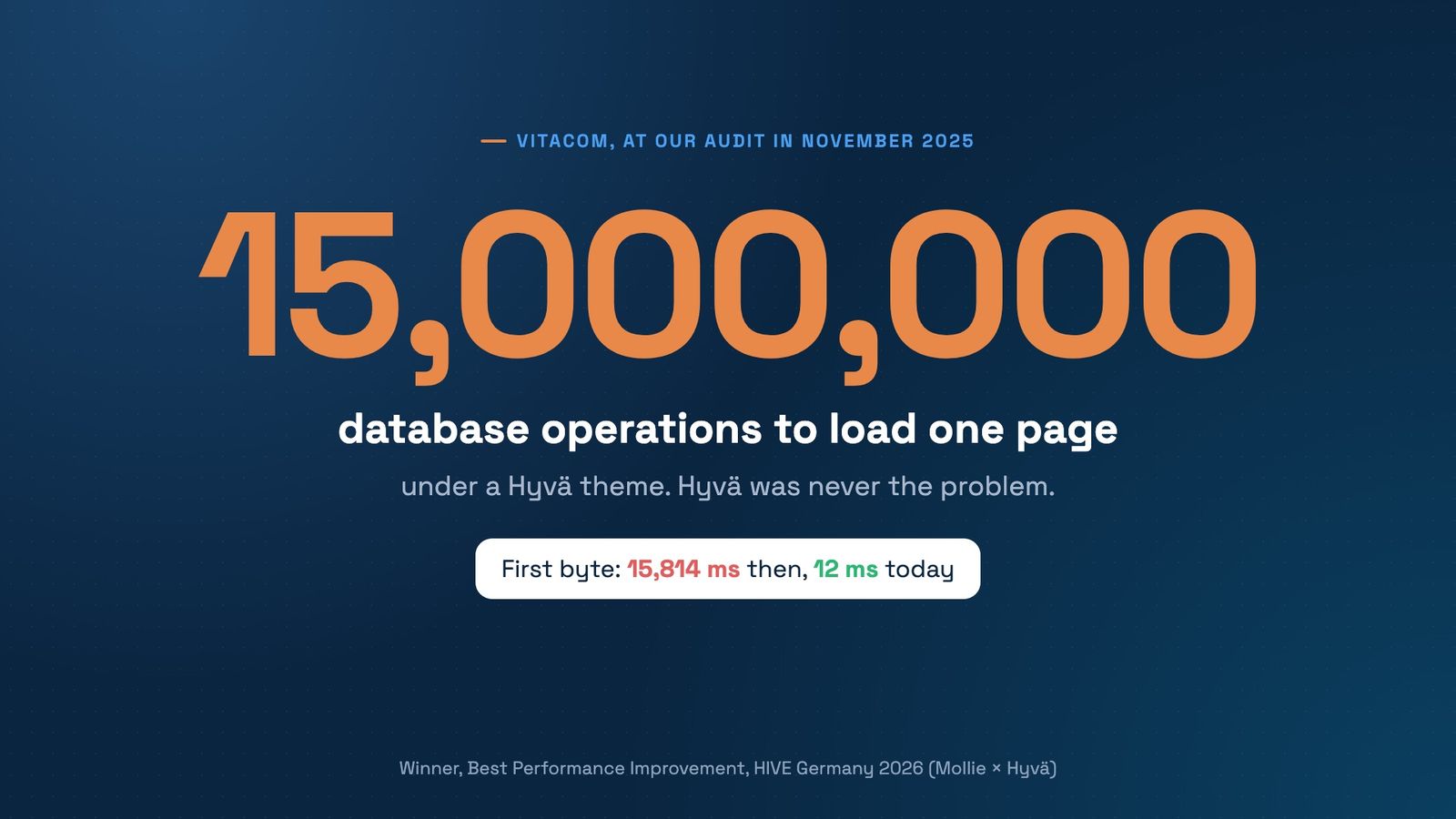
On 21 October in Mainz, we closed our HIVE Germany 2026 pitch with one line: “Hyvä was never the problem. What we pile on top of it is.” A few minutes later, the room voted the Vitacom case Best Performance Improvement.
The line is short on purpose, so this post gives it the room it didn't get on stage: what Hyvä replaces, what it never touches, and what we found under a Hyvä store that took almost 16 seconds to answer. We say “we” on purpose too: every agency, ours included, adds modules for good reasons, one request at a time.
What Hyvä replaces, and what it doesn't
Hyvä is a theme. It replaces Magento's frontend, the part the browser loads and draws: Luma's layouts become Hyvä templates, RequireJS and Knockout give way to Alpine.js, and the CSS is Tailwind, with only the classes the store uses. Hyvä Checkout does the same for the checkout. That's why a clean Hyvä store is fast in the browser.
Everything before the first byte stays exactly as it was. When a page isn't in the cache, Magento runs every module that hooks into it: plugins, observers, layout blocks, database queries. The indexers that keep prices, stock and search up to date run on the same server. Hyvä doesn't touch any of it. A slow query is just as slow under a Hyvä template as under a Luma one.
What we found under Vitacom's Hyvä theme
Vitacom was already on Magento 2 and Hyvä when we took it over. Our technical audit in November 2025 found:
- 290+ modules on top of Magento: 240+ from third parties, 162 of them from a single vendor, plus 51 custom ones.
- Up to 15 million database operations to load a single page.
- 9.9 million queries on every product view, from one module nobody used.
- 2 hours 24 minutes to rebuild the search index once.
- Pages that skipped the cache. Varnish was installed, but wrong headers kept pages out of it, so 64 cores and 256 GB of RAM did all the work on every visit.
Not all of it was about speed. One module emptied stock reservations every 15 minutes, and another had more than 30 SQL injections. None of this shows in the browser. The storefront looked like any modern Hyvä store, and the server answered in 15,814 ms.
Why “unused” doesn't mean “harmless”
The 9.9 million queries came from a module nobody used. That's more common than it sounds. Turning a feature off in the admin often only hides its output: the module stays enabled, so its plugins and observers still run on every request, unless its own code checks the setting first. Only disabling or removing the module stops it for good.
The same goes for modules that do the same job. At Vitacom, search, filters, merchandising and brand pages came from 32 modules by two vendors. ElasticSuite replaced all 32 in March 2026, and the database's CPU load fell to a third on average.
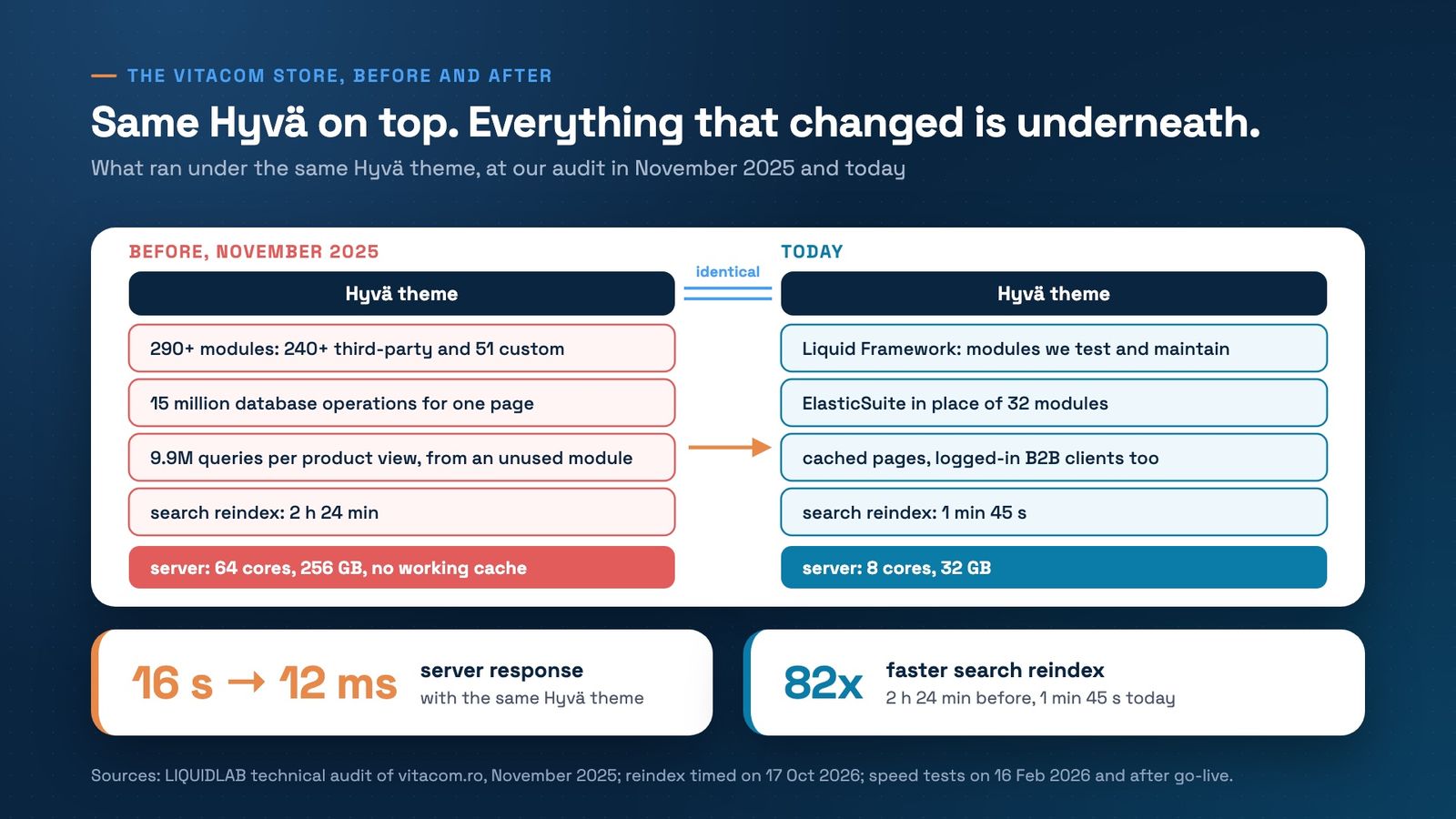
The chart is the whole argument. The Hyvä theme on top is the same in both columns. What changed is underneath: fewer modules, maintained ones, a cache that works and a search reindex of 1 minute 45 seconds instead of 2 hours 24. Server response went from about 16 seconds to 12 milliseconds, on a server with 8 times less hardware. How the server got smaller is its own story, in our post on the server 8 times smaller. All the numbers are in the Vitacom case study.
How to see what's under your Hyvä theme
Four checks you can run, or ask your developers to run, this week:
- List the enabled modules. The command bin/magento module:status --enabled prints them. Mark every one that isn't Magento's own and ask what it does for your shoppers today.
- Look for features switched off in the admin. For each one, check whether its module is still enabled. If it is, its code still runs.
- Count the queries on one product page. Profile an uncached product page with Blackfire, New Relic or Magento's own database profiler. A few hundred is common for an uncached Magento page. Millions means something is running in a loop.
- Time a full search reindex. The command is bin/magento indexer:reindex catalogsearch_fulltext; run it on a copy of the store, not on production during the day. At Vitacom it took 2 hours 24 minutes before and 1 minute 45 seconds in October 2026.
On Magento and Hyvä
Our audit for Vitacom set one rule: the Liquid Framework goes only on a clean, secure Magento. It's our Hyvä accelerator: Hyvä, Hyvä Checkout and Magento stay standard, and the modules on top are ones we test and maintain together with them, with ElasticSuite for search, filters and merchandising. Each job is done by one module we know, not by several that overlap.
Want to know what runs under your Hyvä theme? Book a free strategy call. We'll look at your module list and your slowest page together, and tell you what to remove first.
Get the next article in your inbox
One email a month with new articles, speed fixes and the Magento security patches worth applying.