Hyvä
Hyvä Pocket: Your Magento Store Metrics, Free, on iPhone and Apple Watch
July 31, 2026 - by Alexandru-Manuel Carabus
Hyvä just shipped a free native Apple app that shows your Magento store’s numbers, orders, customers and payments on your iPhone, iPad, Mac and Apple Watch. It is read-only, works with any Magento 2 backend (no Hyvä theme required), and it is genuinely useful. Here is a walk through what it does and why it fits the way we think about owning your store.
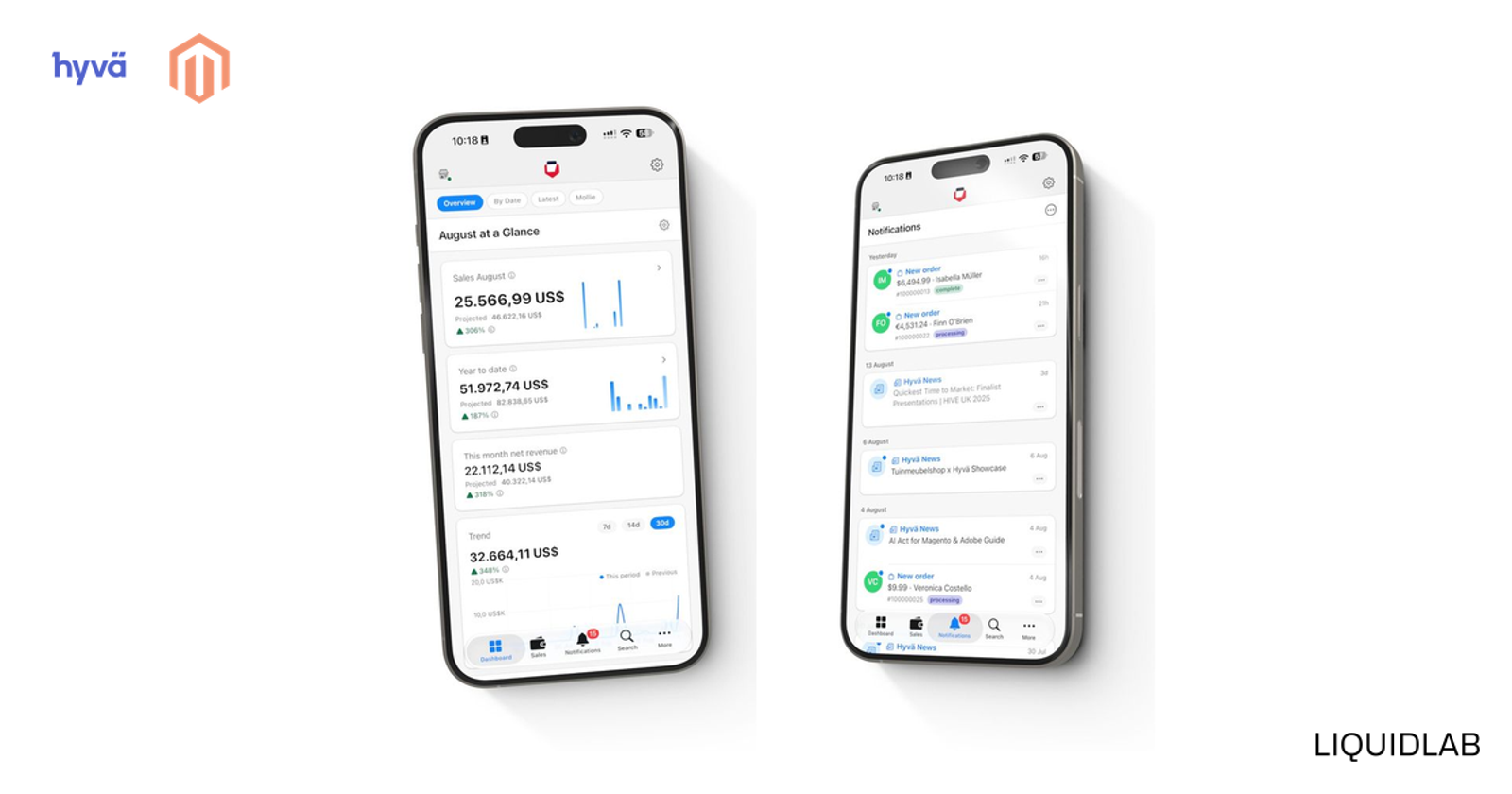
Hyvä just shipped something small and genuinely useful: Hyvä Pocket, a free native Apple app that puts your Magento store’s numbers in your pocket. Sales, orders, customers, payments, all on your iPhone, iPad, Mac and even your Apple Watch. It is read-only, it works with any Magento 2 backend whether or not you run a Hyvä frontend, and it costs nothing. We do not usually cover apps, but this one fits how we think about owning a Magento store, so here is a proper look at what it does.
What Hyvä Pocket is
Hyvä Pocket is a native app for the Apple ecosystem, built for Magento store owners and operators who want to check on the store without opening a laptop and logging into the admin. It runs on iPhone and iPad, on the Mac through iPad-on-Mac compatibility, and on the Apple Watch. It was built by a merchant-developer who used it daily on their own store, and its layout later became the reference for Hyvä POS. Two things matter most about how it is built. It is strictly read-only, so it shows you data but cannot change a setting, write a record, or break anything. And it is frontend-agnostic: it talks to any Magento 2, Adobe Commerce or Mage-OS backend over the standard API, so you do not need a Hyvä theme to use it. Hyvä’s own walkthrough is here.
Your month at a glance
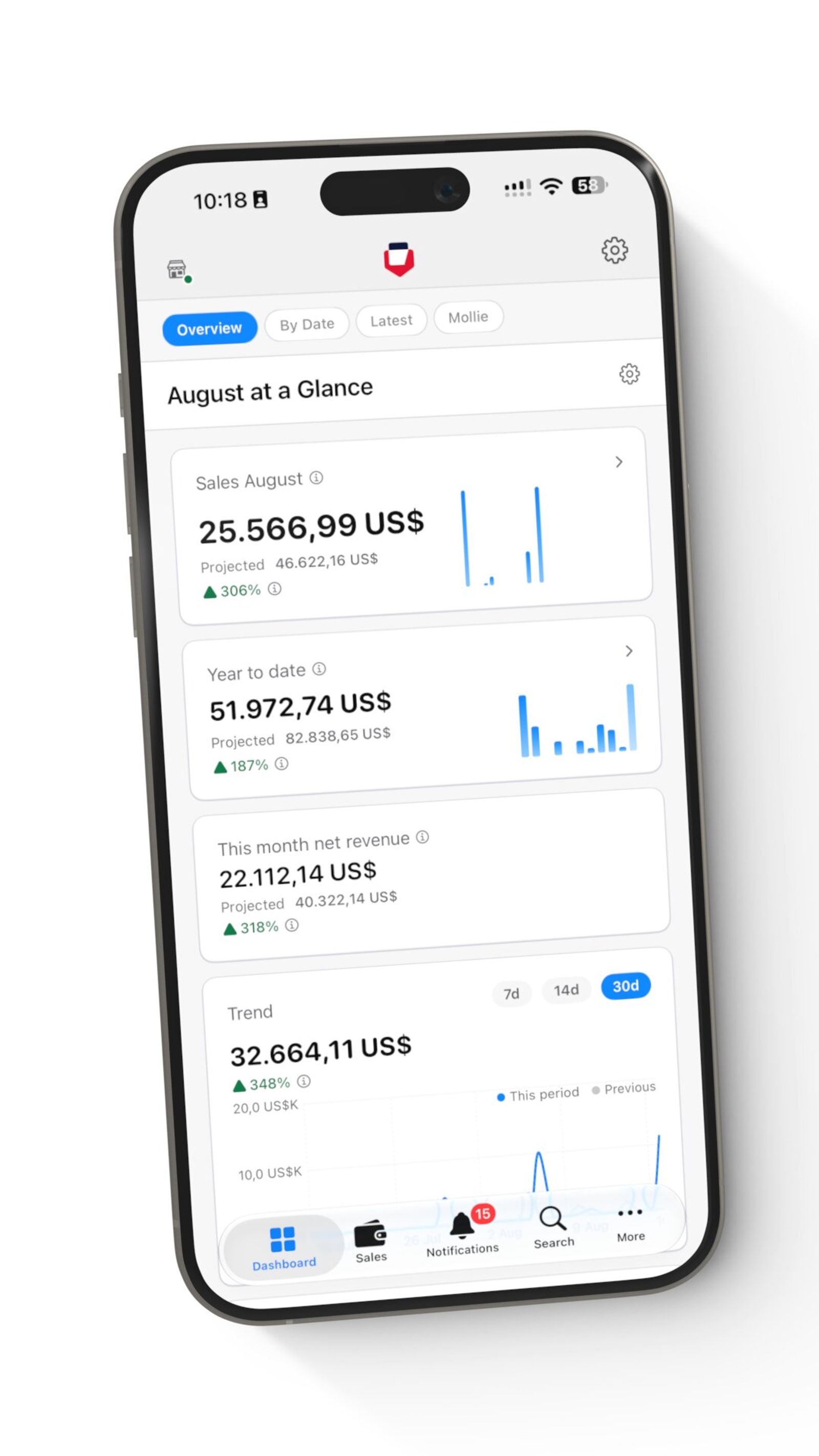
The dashboard is the part you will open most. It is configurable, so you lay out the widgets that matter to you, and it leads with revenue. You can set a monthly revenue target and watch progress against it in real time, see a twelve-month trailing view with year-over-year comparisons, and drill into daily totals, refunds, invoiced versus uninvoiced amounts, and best-selling products by month or year. If you have ever refreshed the admin dashboard on your phone at an awkward zoom level, this is the fix.
Orders, customers and payments, without the admin login
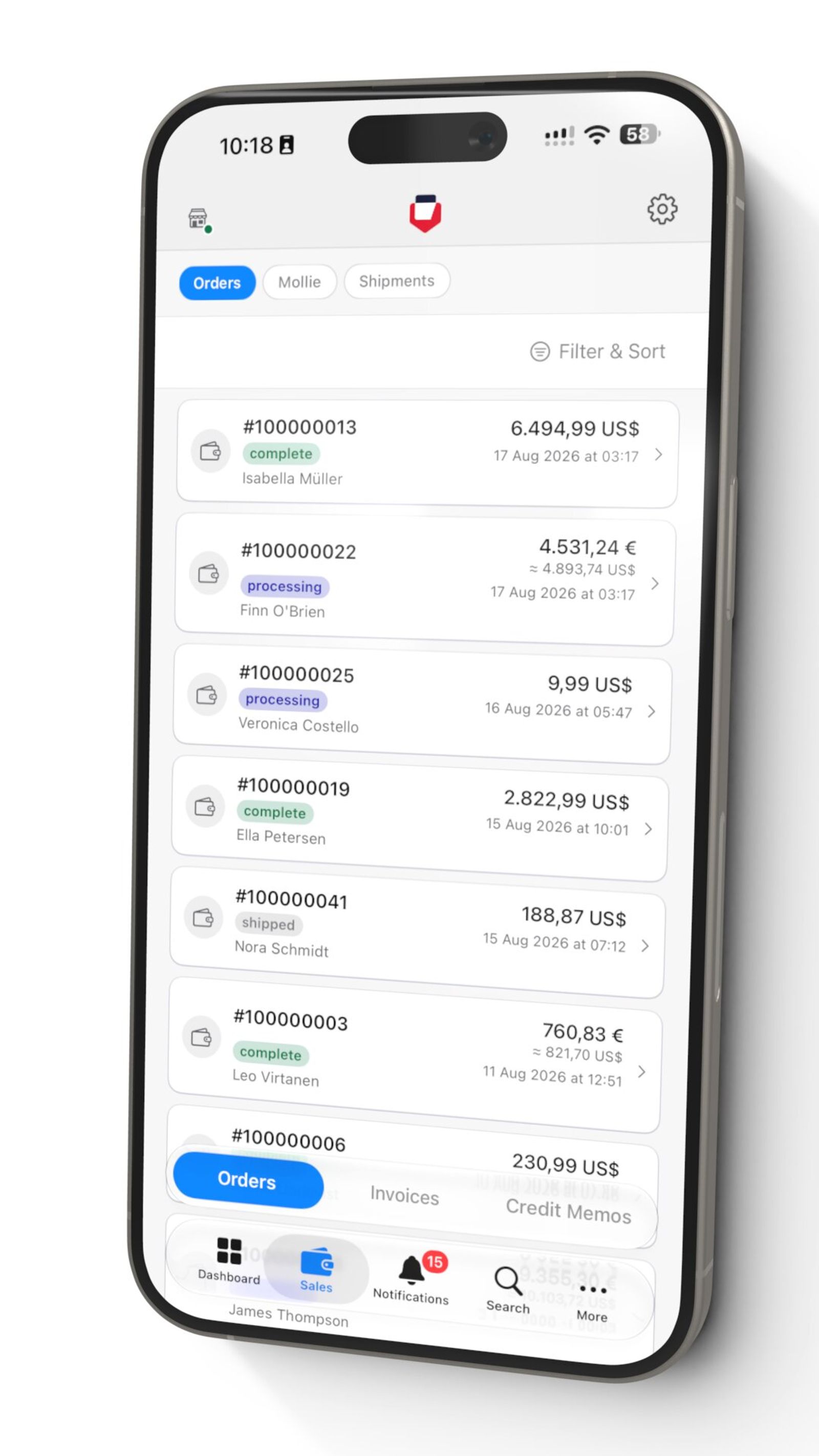
Below the dashboard sits the operational side. You get your recent orders with status, customer and amount, filterable and sortable exactly like the admin grid. Tap into an order and you can open the customer behind it, read their full purchase history, and check shipping. There is a global search across customers, orders and products that mirrors the search in Magento admin, so finding a specific order on your phone takes seconds rather than a desktop and three clicks.
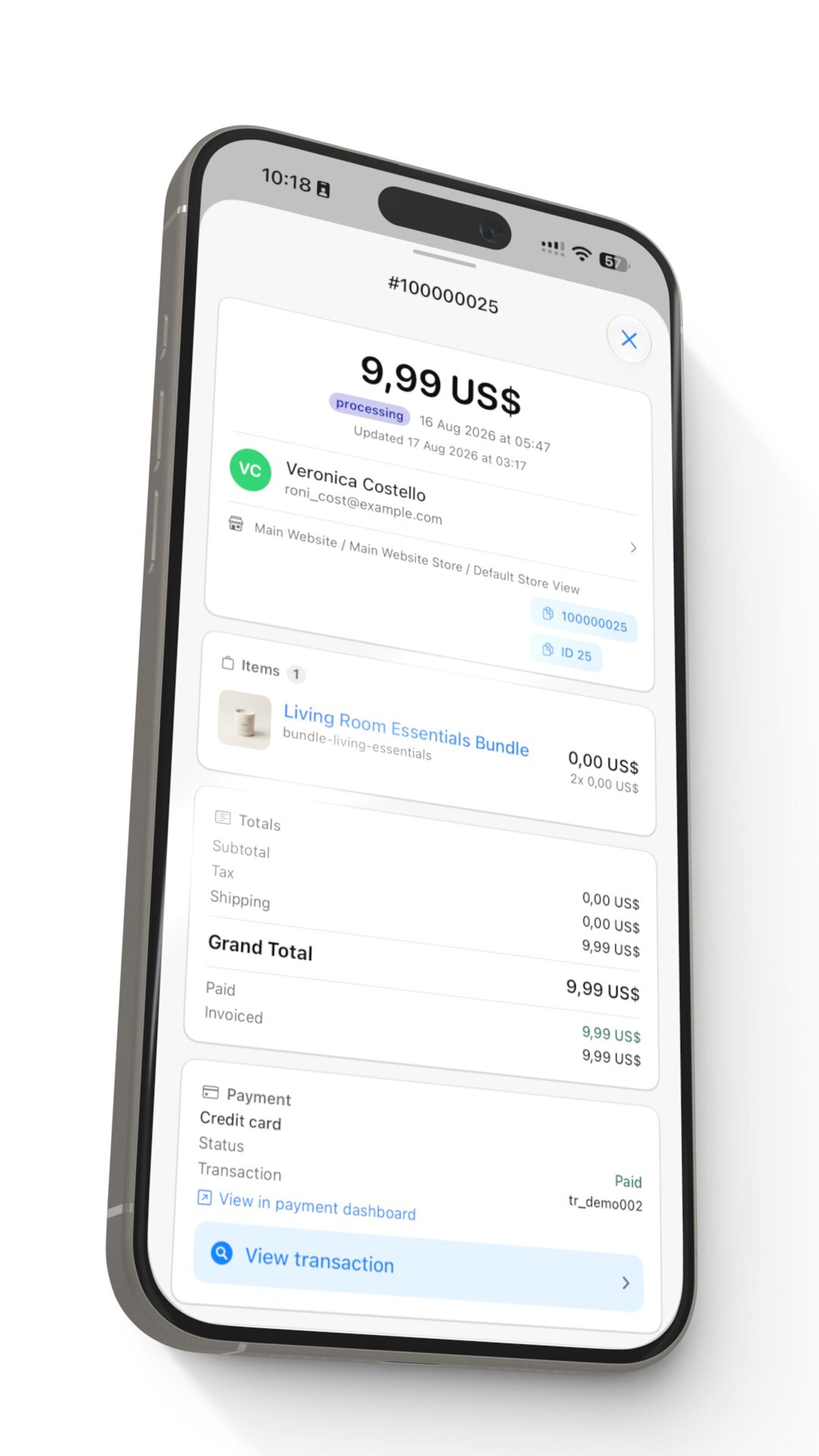
The detail views are where it earns its keep. An order opens into its items, totals, what has been paid and invoiced, and the payment behind it, and everything cross-links. From an order you jump to the customer, from a payment you jump back to the order. It is the kind of quick tracing you normally need three admin tabs open to do.
Payments and chargebacks in one place
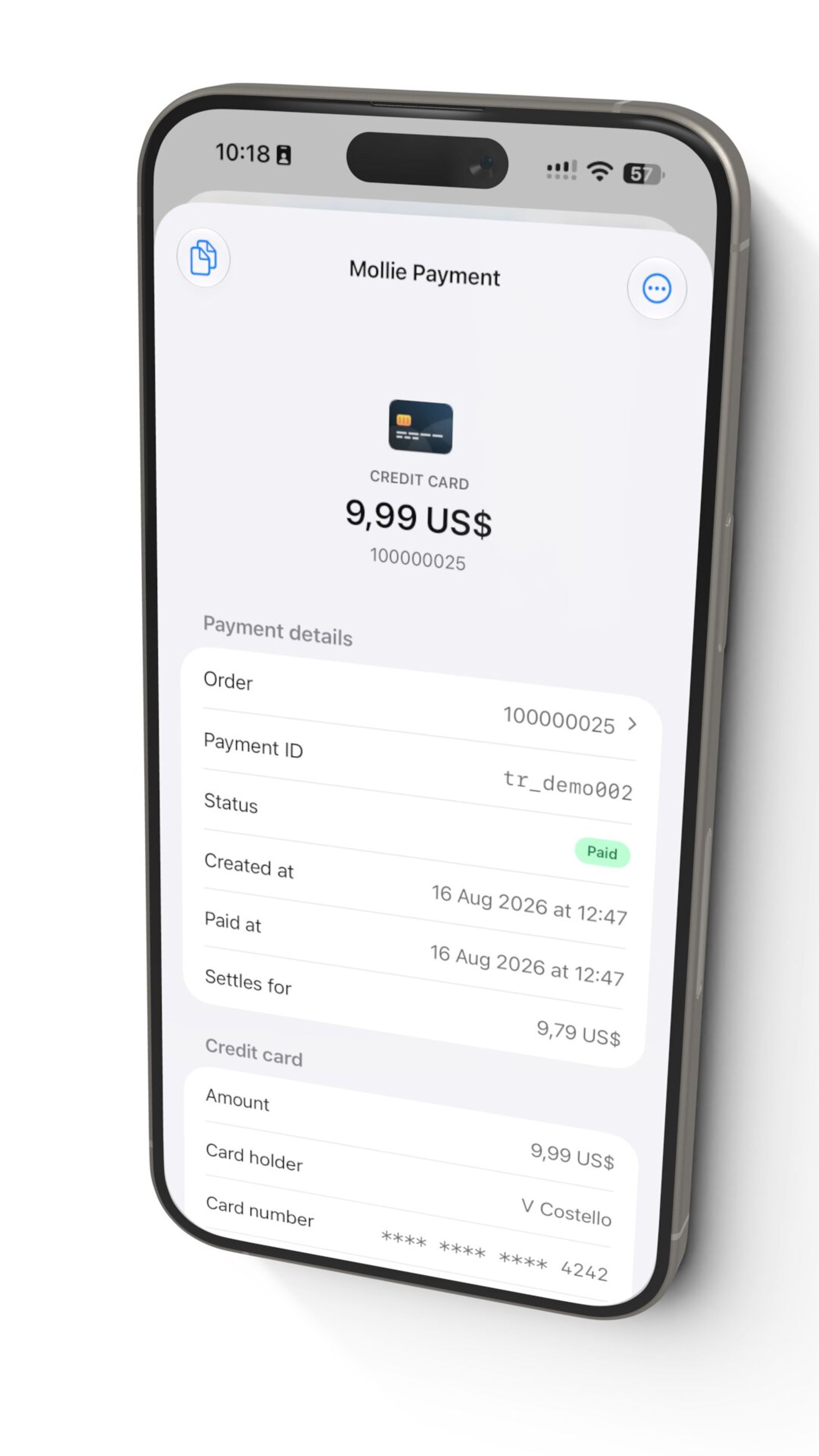
Payments get their own unified view. You can see payment and transaction status directly, including provider detail (the demo store here is on Mollie), inspect why a payment failed, and follow a chargeback straight back to the order it came from. For a store owner, being able to see a failed fraud check or a chargeback the moment you have a spare minute, from wherever you are, is quietly valuable.
Notifications, multi-store and the Apple Watch
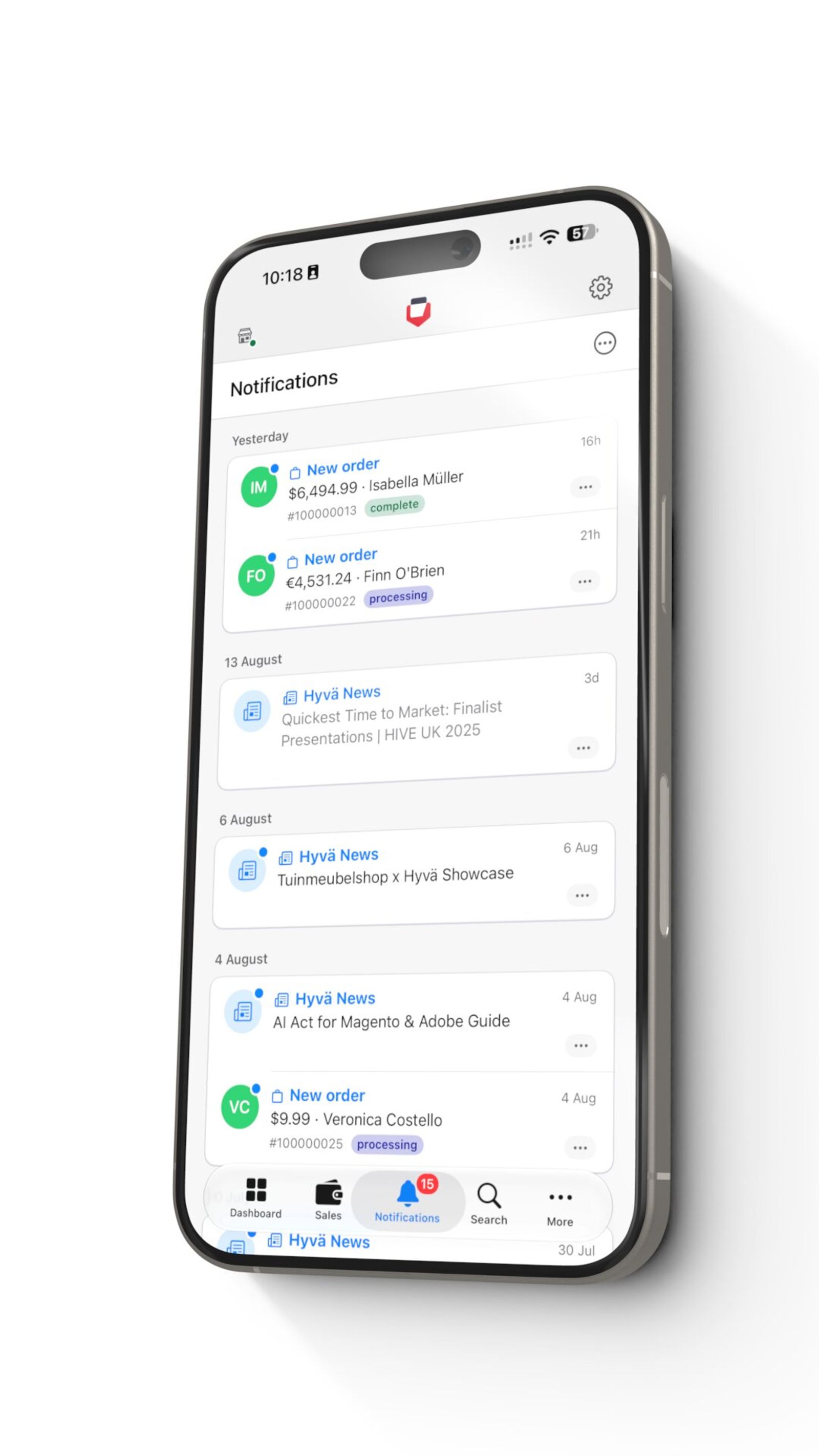
Turn on push notifications and a new order lands on your phone the moment it happens, alongside official Hyvä news. You can connect an unlimited number of store views and switch between them with a single tap, which matters if you run more than one Magento store. And on the Apple Watch there is an at-a-glance complication for the day’s sales, with a nice touch: a tap-to-reveal privacy shield, so your revenue is not sitting on your wrist for the person next to you to read.
Why we think it is worth your attention
Two reasons, and both are the reasons we keep making on this blog. First, it is read-only and it reads your own store’s data, so there is nothing to break and nothing handed to a third party to run your store for you. That is the ownership posture we like: your store, your data, a tool that observes rather than controls. Second, it is another free tool that the open Magento and Hyvä ecosystem produced and gave away, the same pattern we wrote about when the Hyvä theme went fully open source. On a closed platform, a companion app like this is a paid add-on or a feature you rent. Here it is free, it works on any Magento 2 backend, and it compounds for everyone.
Hyvä Pocket is free on the App Store, so there is no reason not to try it on your own store. One honest note, though: an app that shows you your numbers is only as good as the numbers. If you open it and the sales line is flat because the storefront is slow, the app is not the thing to fix. We wrote about getting a Magento store genuinely fast in our Core Web Vitals guide, and if you want a second read on why your numbers are where they are, book a free strategy call and we will look at it with you.
Get the next article in your inbox
One email a month with new articles, speed fixes and the Magento security patches worth applying.